Master Practice · Feature ScreensOpen / New screens for Dev · Admin · Modules · 24 reference images

Screens while developing & opening features — ليس نتائج فقط

Every card shows the screen you get when you click New or open a feature (Tables, Business Rules, ACLs, Incidents…), lists all options on that form, and links Direct URL for practice.

Progress: 0%

A. Development — كل خيارات التطوير عند الفتح/الإنشاء

Studio, Tables, Dictionary, Choices, Business Rules, Script Includes, Client Scripts, UI Policy, UI Action, Flow, Update Set, Form Layout, Catalog Item, Portal Widget, UI Builder, REST

Studio — Create Application
WHEN DEVELOPING / OPENING: Open Studio → Create Application

Studio — Create Application

Open Studio → Create Application

Open / New on instance
Options & features on this screen

  • Name
  • Scope (cannot change later)
  • Description
  • Version
  • Logo
  • Create Application Menu
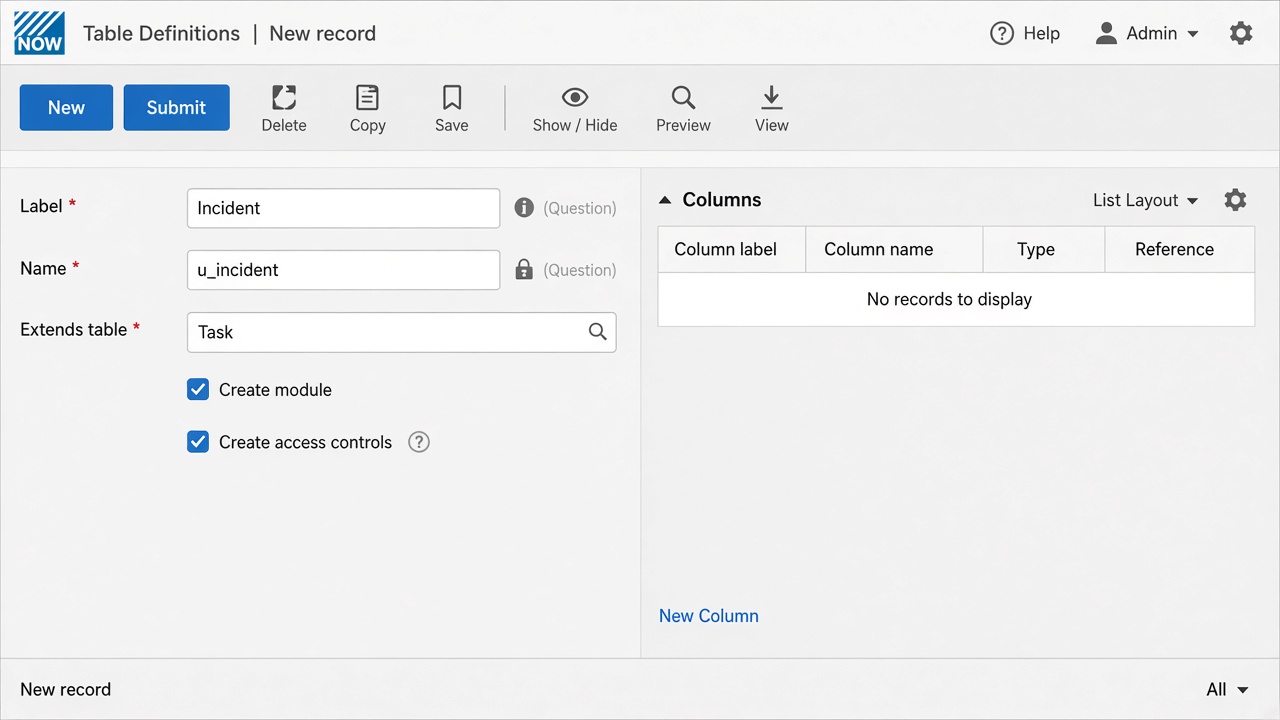
Table — New
WHEN DEVELOPING / OPENING: Click New on Tables (or Studio → Create Table)

Table — New

Click New on Tables (or Studio → Create Table)

Open / New on instance
Options & features on this screen

  • Label
  • Name
  • Extends table
  • Extensible
  • Create module
  • Create access controls
  • Add to update set
  • Controls tab
  • Application Access
  • Columns related list
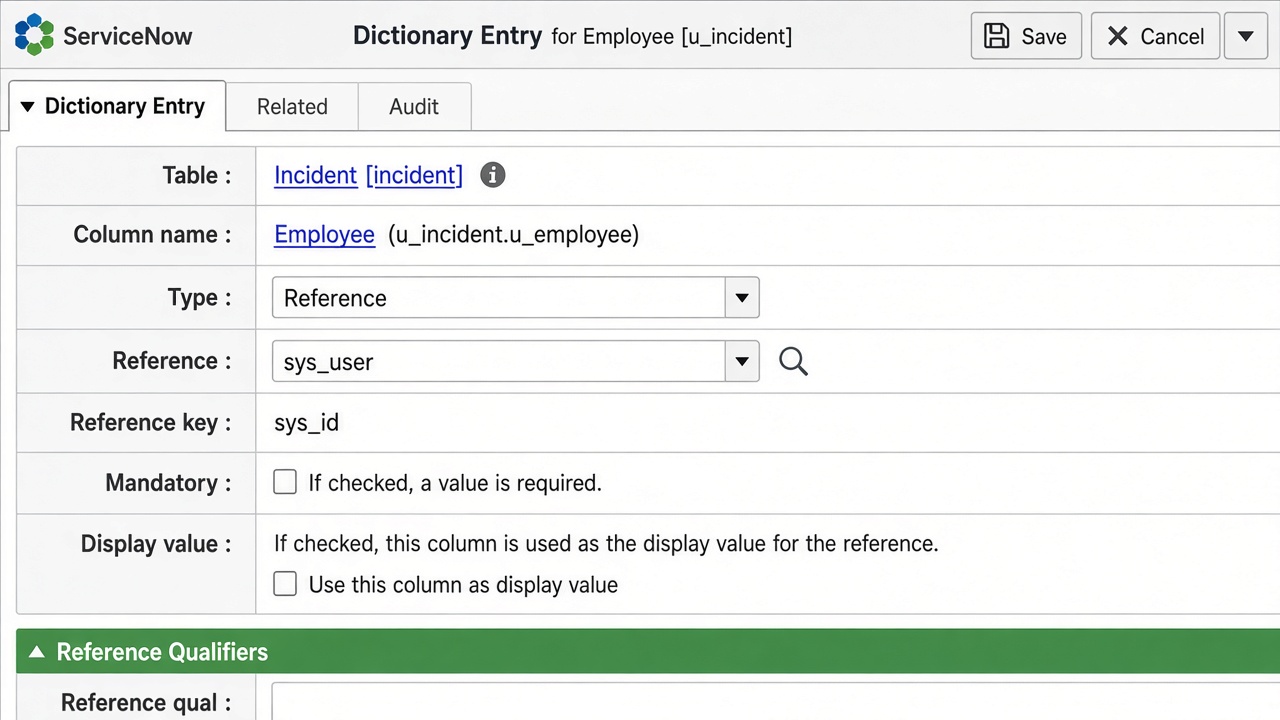
Dictionary — New Field / Column
WHEN DEVELOPING / OPENING: Open table → Columns → New (or Dictionary New)

Dictionary — New Field / Column

Open table → Columns → New (or Dictionary New)

Open / New on instance

Options & features on this screen

  • Type (String, Integer, Reference, Choice, Date, Date/Time, Boolean, Decimal, Journal…)
  • Column label
  • Column name
  • Max length
  • Mandatory
  • Read only
  • Display
  • Default value
  • Reference
  • Reference qual
  • Choice
  • Attributes
  • Dependent field
  • Calculated value
New — Choice List — New Submit · Update Choice Table leave requestElement leave_typeValue annualLabel Annual LeaveSequence 100
WHEN DEVELOPING / OPENING: Open Choices for a Choice field → New

Choice List — New

Open Choices for a Choice field → New

Open / New on instance
Options & features on this screen

  • Table
  • Element
  • Language
  • Value
  • Label
  • Sequence
  • Inactive
  • Dependent value
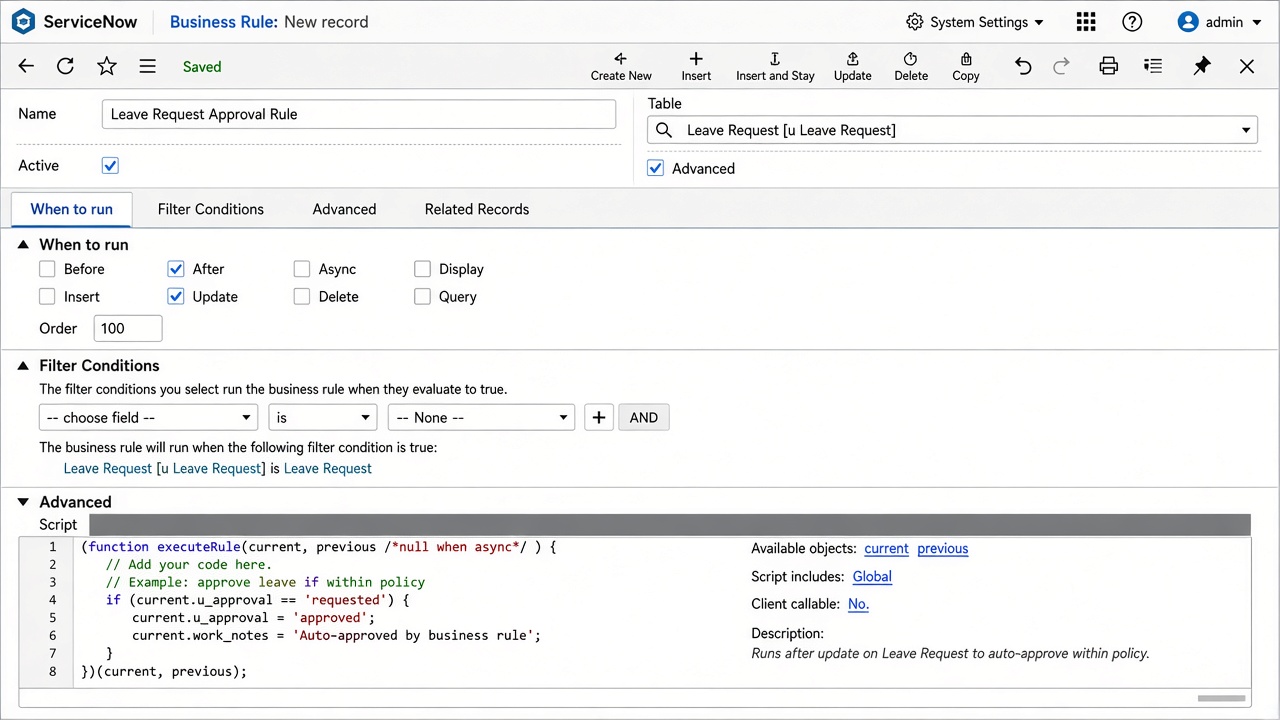
Business Rule — New
WHEN DEVELOPING / OPENING: Business Rules → New (developing automation)

Business Rule — New

Business Rules → New (developing automation)

Open / New on instance
Options & features on this screen

  • Name
  • Table
  • Active
  • Advanced
  • When: before | after | async | display
  • Insert / Update / Delete / Query
  • Filter Conditions
  • Role conditions
  • Order
  • Abort action
  • Set field values (Actions)
  • Script (Advanced)
  • Add message
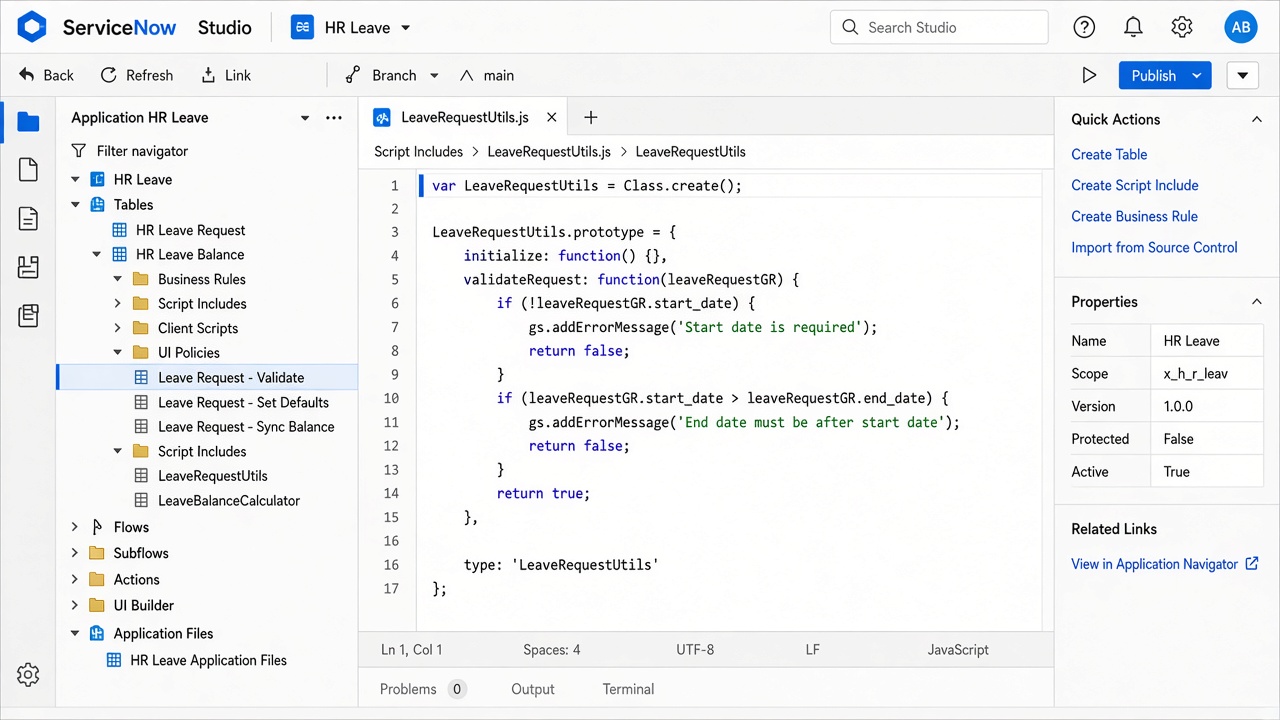
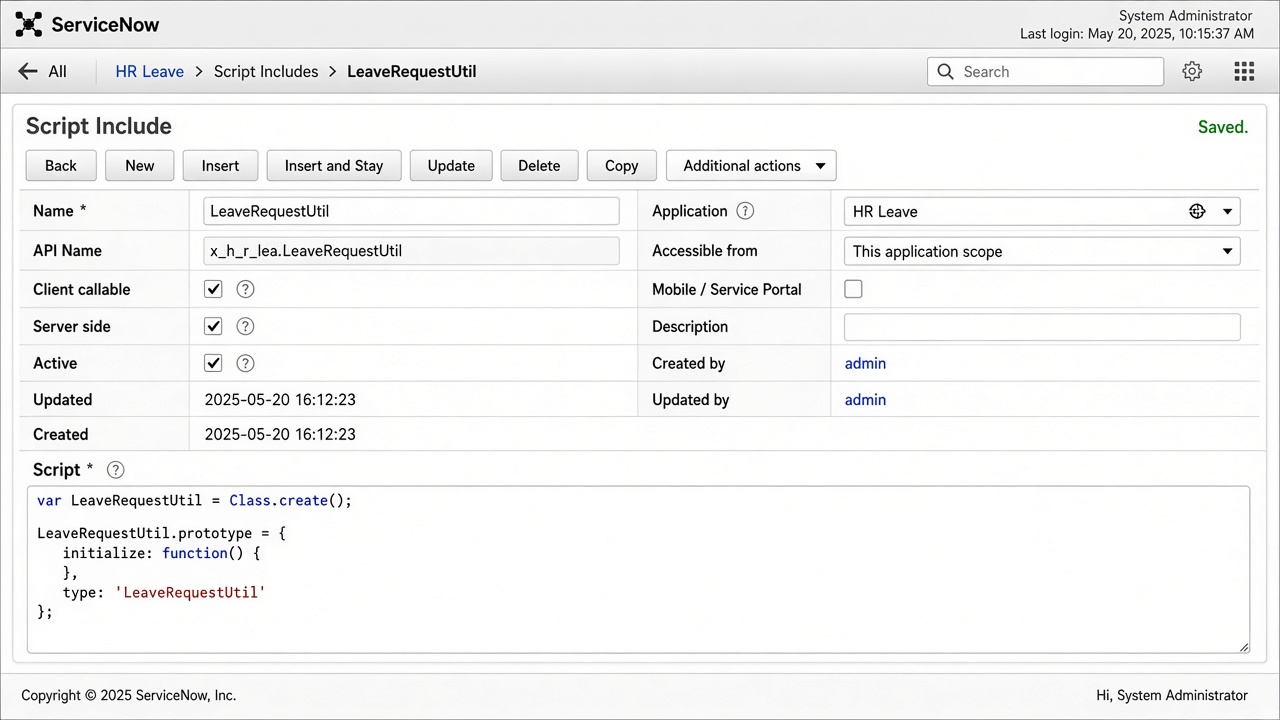
Script Include — New
WHEN DEVELOPING / OPENING: Script Includes → New (reusable server API)

Script Include — New

Script Includes → New (reusable server API)

Open / New on instance
Options & features on this screen

  • Name
  • API Name
  • Client callable
  • Active
  • Accessible from
  • Protection policy
  • Sandbox
  • Script (Class.create)
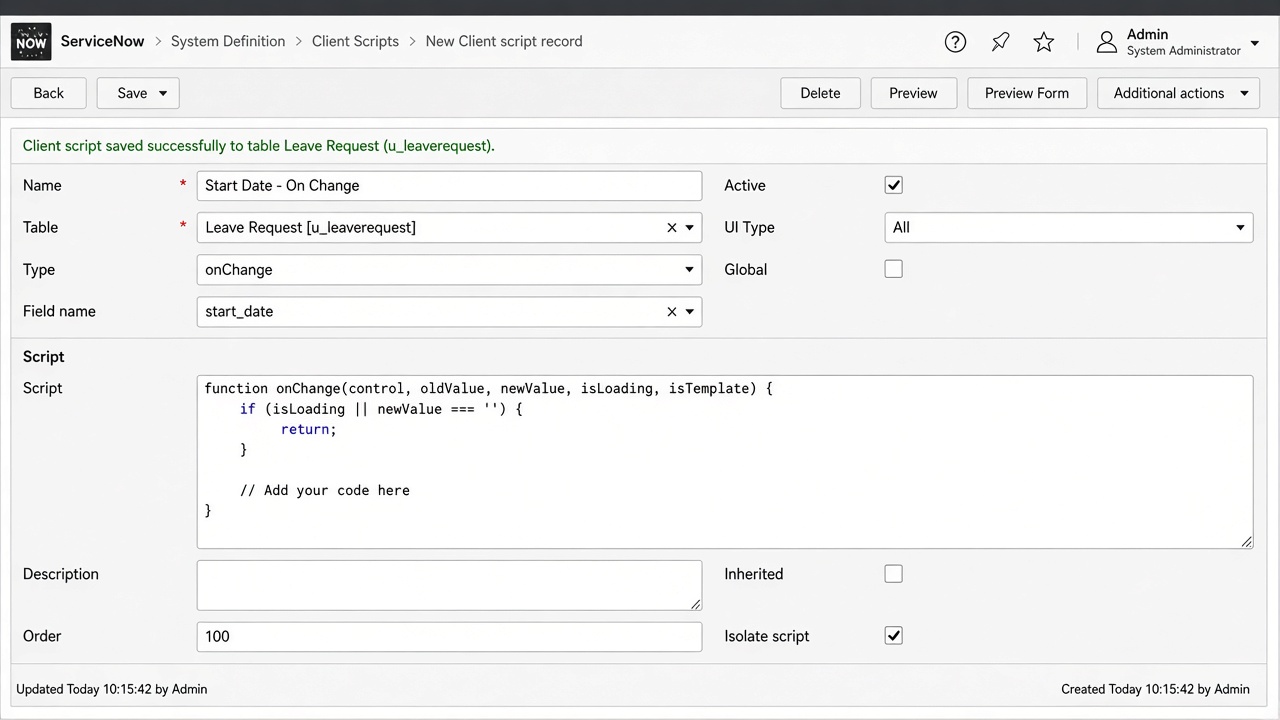
Client Script — New
WHEN DEVELOPING / OPENING: Client Scripts → New (form UX while developing)

Client Script — New

Client Scripts → New (form UX while developing)

Open / New on instance
Options & features on this screen

  • Type: onLoad | onChange | onSubmit | onCellEdit
  • Field name (for onChange)
  • UI Type: Desktop / Mobile / All
  • Global
  • Isolate script
  • Messages
  • Script
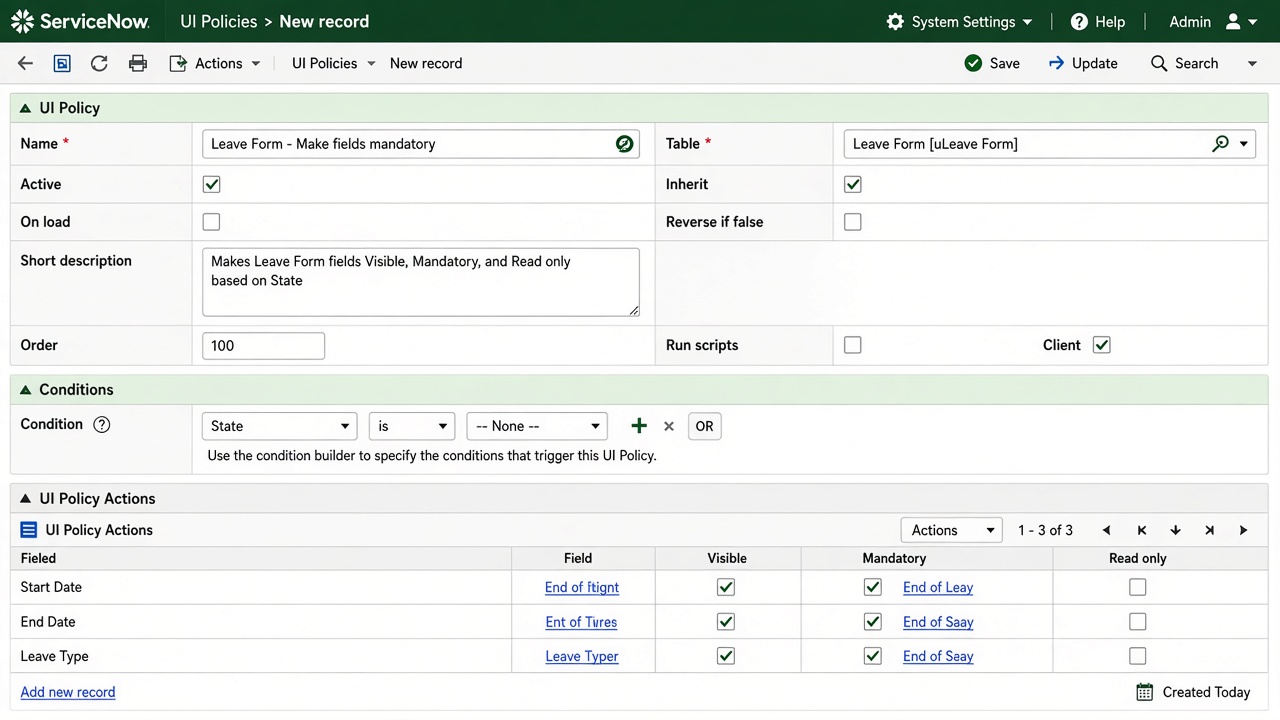
UI Policy — New
WHEN DEVELOPING / OPENING: UI Policies → New (+ UI Policy Actions)

UI Policy — New

UI Policies → New (+ UI Policy Actions)

Open / New on instance
Options & features on this screen

  • Table
  • Conditions
  • Reverse if false
  • On load
  • Global
  • Run scripts
  • UI Policy Actions: Visible / Mandatory / Read only
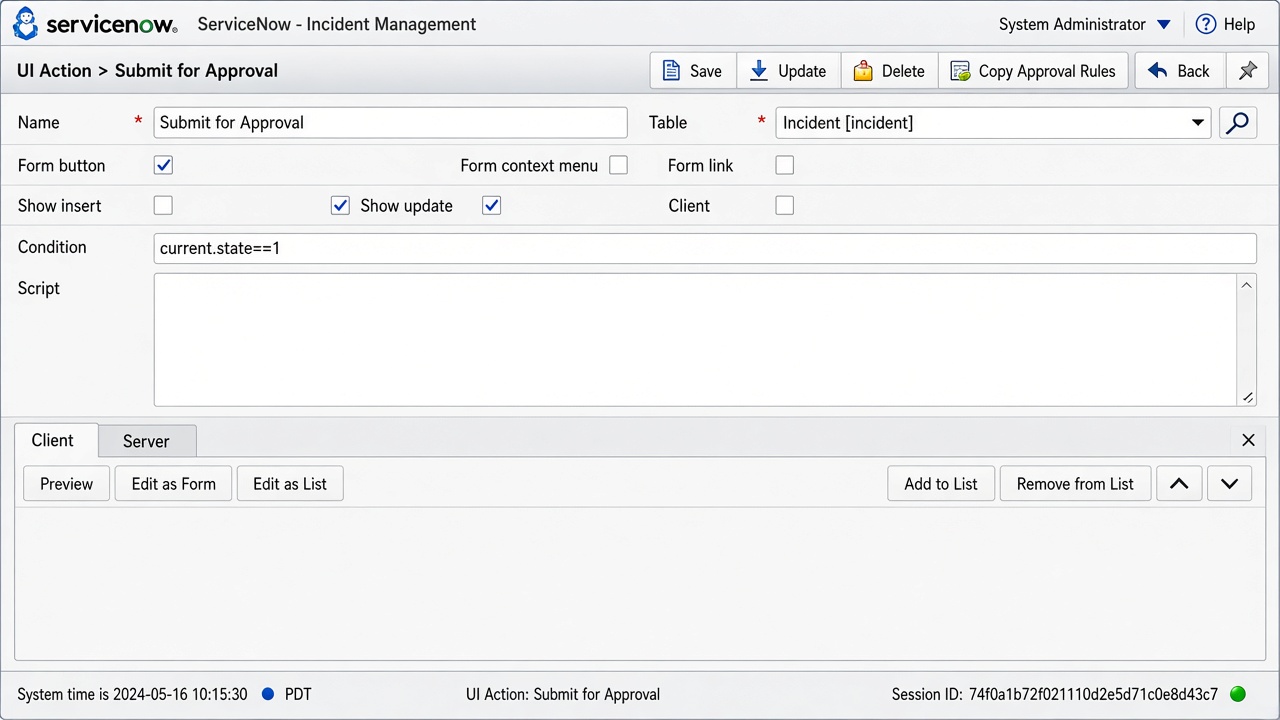
UI Action — New
WHEN DEVELOPING / OPENING: UI Actions → New (buttons / list actions)

UI Action — New

UI Actions → New (buttons / list actions)

Open / New on instance
Options & features on this screen

  • Form button
  • Form context menu
  • Form link
  • List banner button
  • List choice
  • List context menu
  • Client
  • Server
  • Condition
  • Order
  • Hint
  • Show insert/update
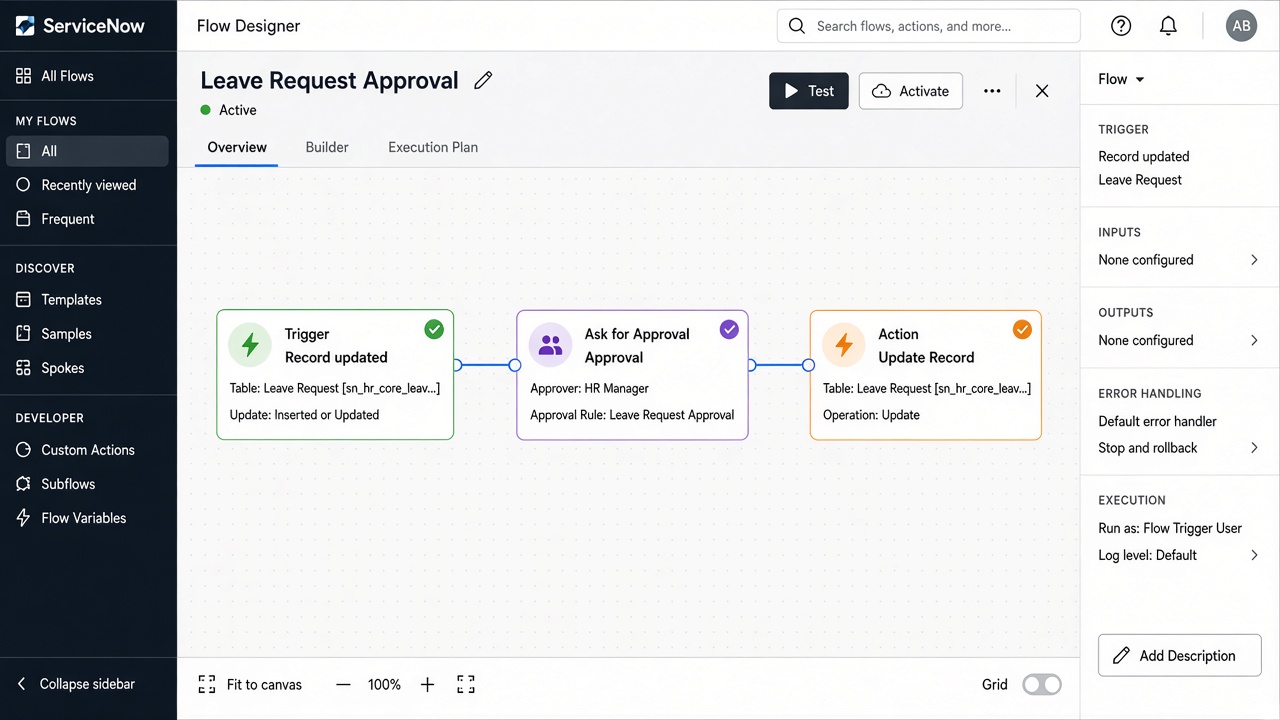
Flow Designer — New Flow
WHEN DEVELOPING / OPENING: Open Flow Designer → New → Flow (building process)

Flow Designer — New Flow

Open Flow Designer → New → Flow (building process)

Open / New on instance

Options & features on this screen

  • Trigger: Record Create/Update, Scheduled, Application, SLA, Email…
  • Actions: Ask for Approval, Update Record, Send Email, Call Script, Subflow
  • Flow Logic: If / Else / For Each / Try
  • Error handler
  • Test
  • Activate
New — Update Set — New / Make Current Submit · Update Update SetCustomer Upd Name HRLEAVE-DEV-001Application HR LeaveState In Progress
WHEN DEVELOPING / OPENING: Local Update Sets → New then Make This My Current Set

Update Set — New / Make Current

Local Update Sets → New then Make This My Current Set

Open / New on instance
Options & features on this screen

  • Name
  • Application
  • State (In Progress/Complete)
  • Make current
  • Customer updates
  • Preview/Commit on remote
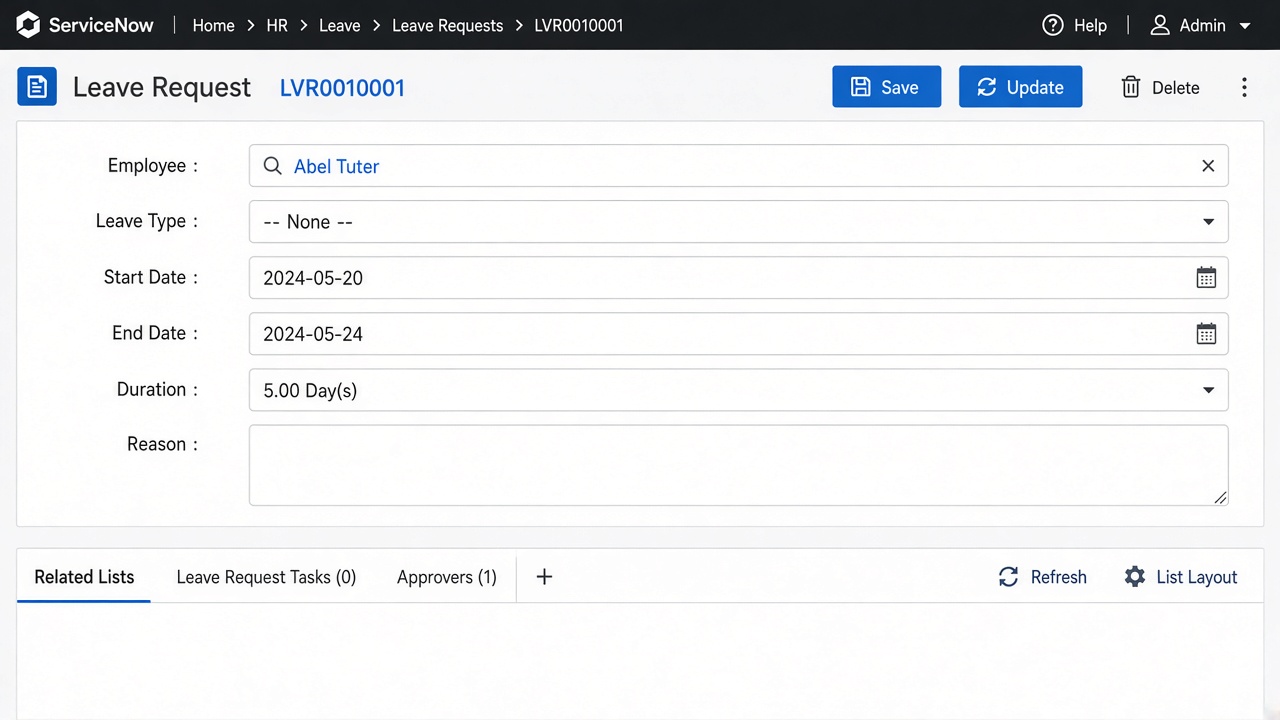
Form Layout / Form Design
WHEN DEVELOPING / OPENING: Configure > Form Layout / Form Design on a record

Form Layout / Form Design

Configure > Form Layout / Form Design on a record

Open / New on instance
Options & features on this screen

  • Views
  • Sections
  • Available ↔ Selected fields
  • Related lists
  • Annotations
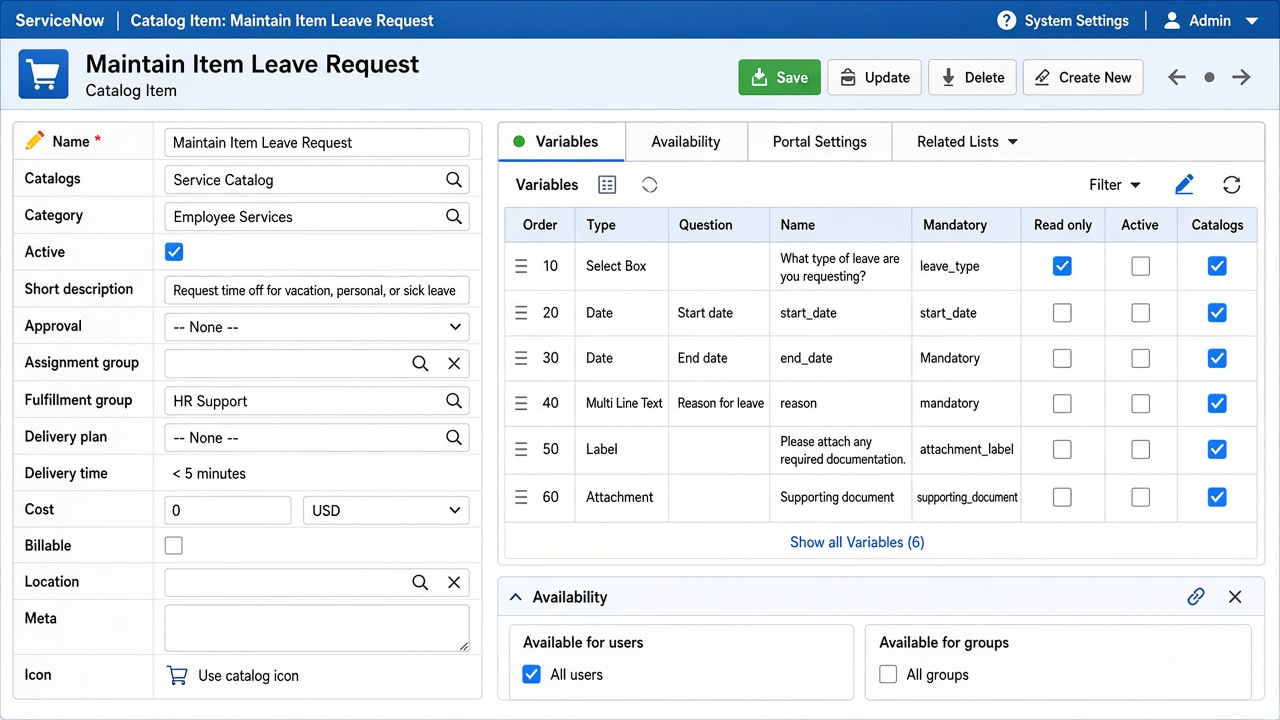
Catalog Item — New
WHEN DEVELOPING / OPENING: Maintain Items → New (developing catalog)

Catalog Item — New

Maintain Items → New (developing catalog)

Open / New on instance
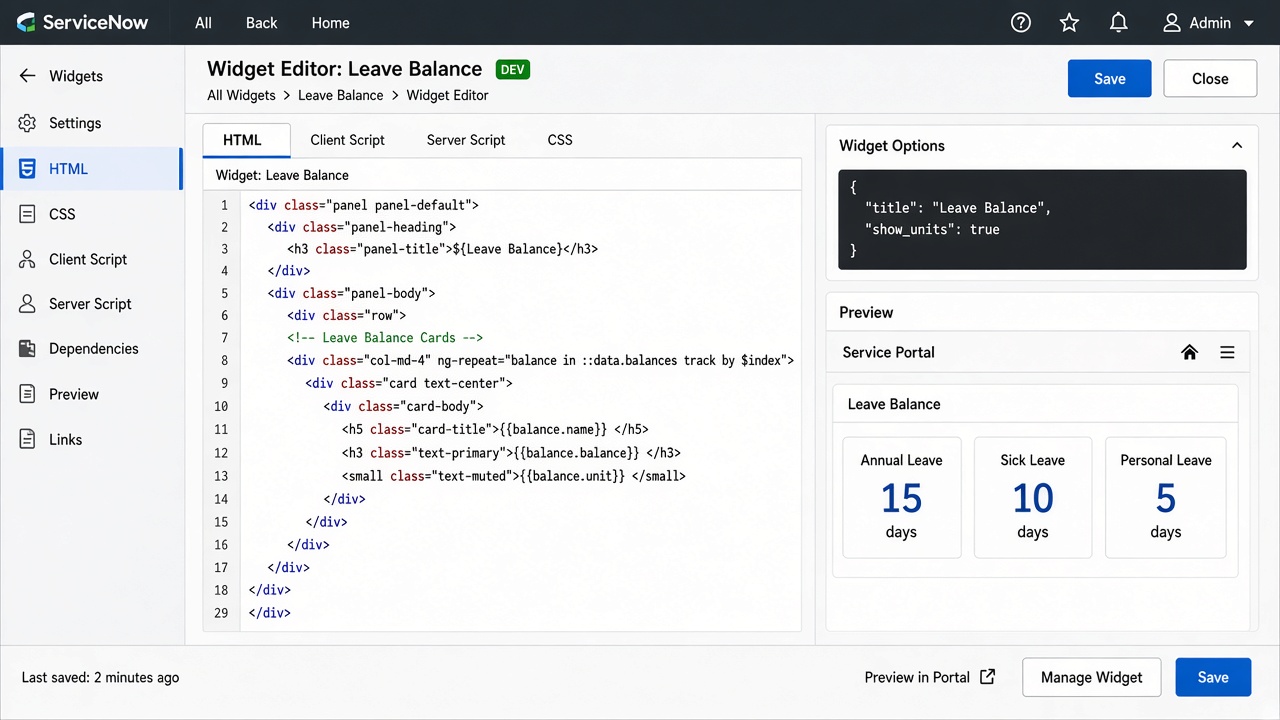
Options & features on this screen

  • Name
  • Catalogs
  • Category
  • Short description
  • Picture
  • Workflow / Flow
  • Availability
  • Mobile hide price
  • Variables
  • Variable Sets
  • Client Scripts
  • UI Policies
Portal Widget — New
WHEN DEVELOPING / OPENING: Widgets → New (HTML / Client / Server / CSS tabs)

Portal Widget — New

Widgets → New (HTML / Client / Server / CSS tabs)

Open / New on instance
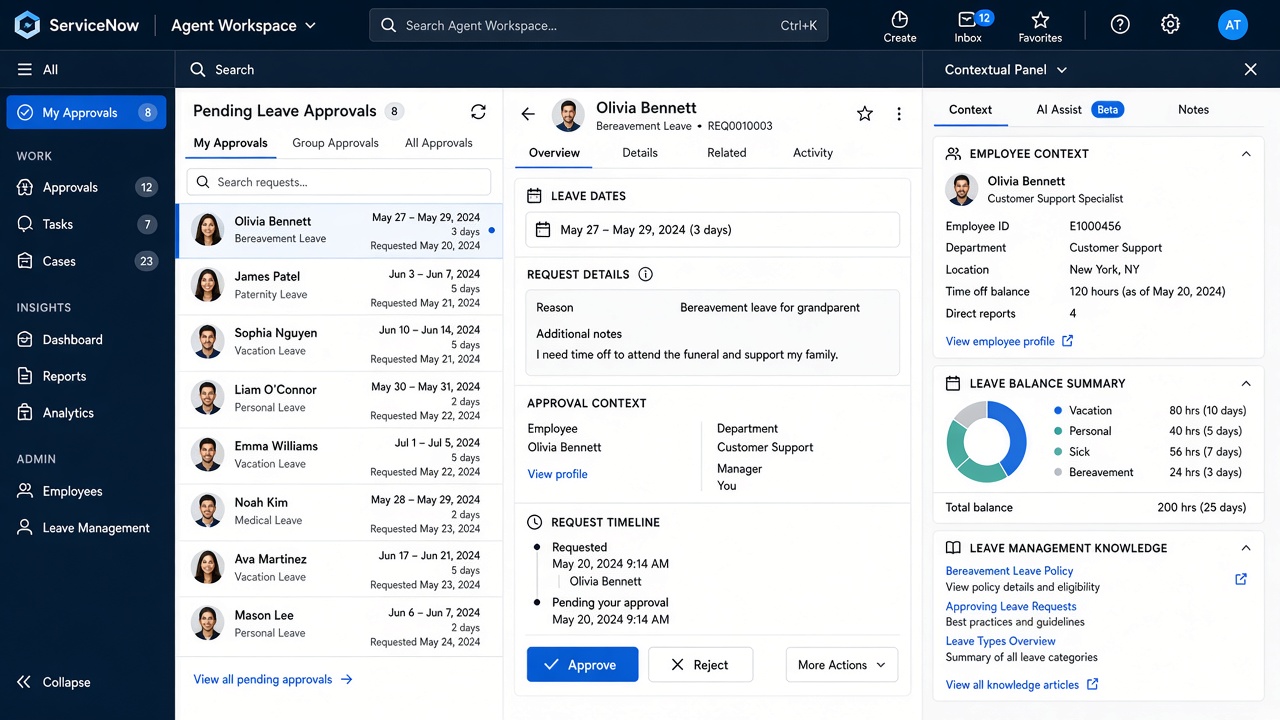
Options & features on this screen

  • ID
  • Name
  • HTML Template
  • Client Script
  • Server Script
  • CSS
  • Option schema
  • Data table
  • Public
UI Builder / Workspace Experience
WHEN DEVELOPING / OPENING: UI Builder → Create Experience / Page (developing workspace)

UI Builder / Workspace Experience

UI Builder → Create Experience / Page (developing workspace)

Open / New on instance

Options & features on this screen

  • Experience
  • Pages
  • Variants
  • Data resources
  • Client state
  • Events
  • Theme
  • Audiences
New — Scripted REST API — New Submit · Update APIResourcesSecurity API ID hr_leaveNamespace x_786686_hr_leaveResource /requests GET
WHEN DEVELOPING / OPENING: Scripted REST APIs → New → Resources

Scripted REST API — New

Scripted REST APIs → New → Resources

Open / New on instance

Options & features on this screen

  • API ID
  • Namespace
  • Base path
  • Resources (GET/POST/PATCH/DELETE)
  • Security
  • Version

Capture YOUR instance screenshots while New is open — replace reference images in html/assets/practice/ with real PNGs using the same filenames for a fully personal professional doc.

B. Administration — كل خيارات الإدارة عند الفتح/الإنشاء

Users, Groups, Roles, ACL, Properties, Events, Notifications, Scheduled Jobs, Import/Transform, ATF, Reports
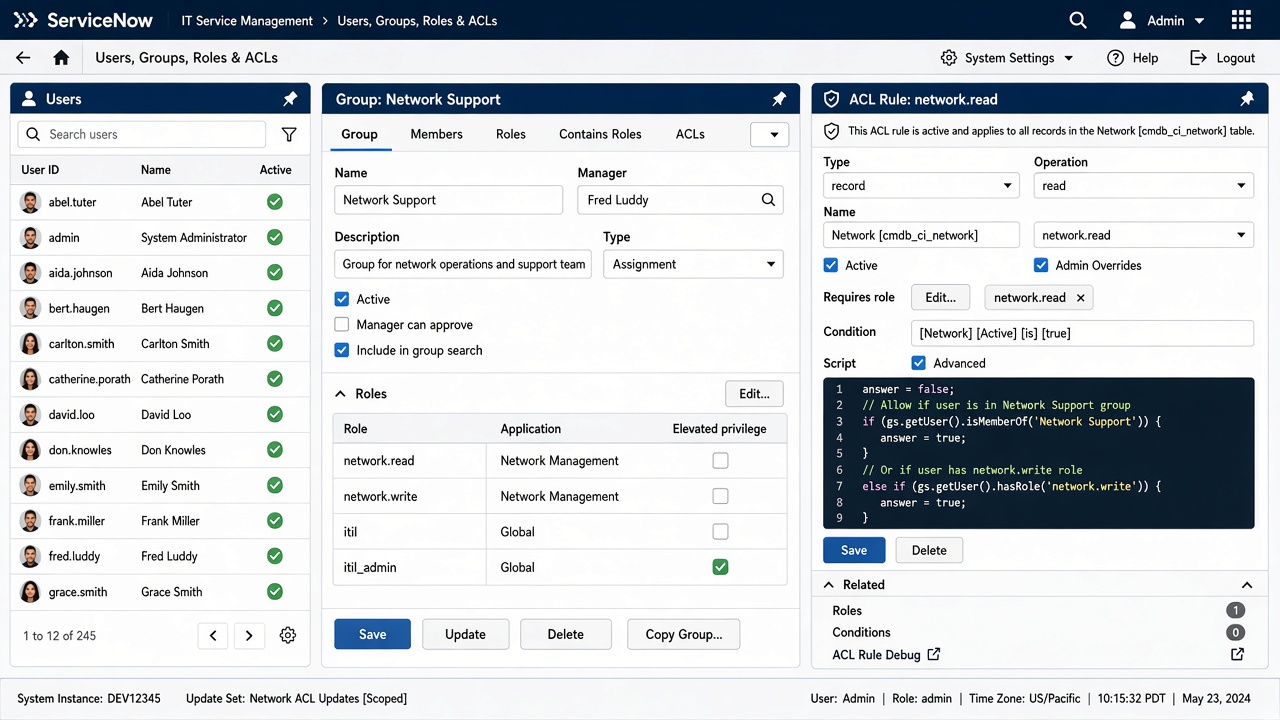
User — New
WHEN DEVELOPING / OPENING: Users → New

User — New

Users → New

Open / New on instance

Options & features on this screen

  • User ID
  • First/Last
  • Email
  • Active
  • Locked out
  • Password
  • Roles (avoid direct)
  • Groups
  • Department
  • Manager
  • Time zone
  • Language
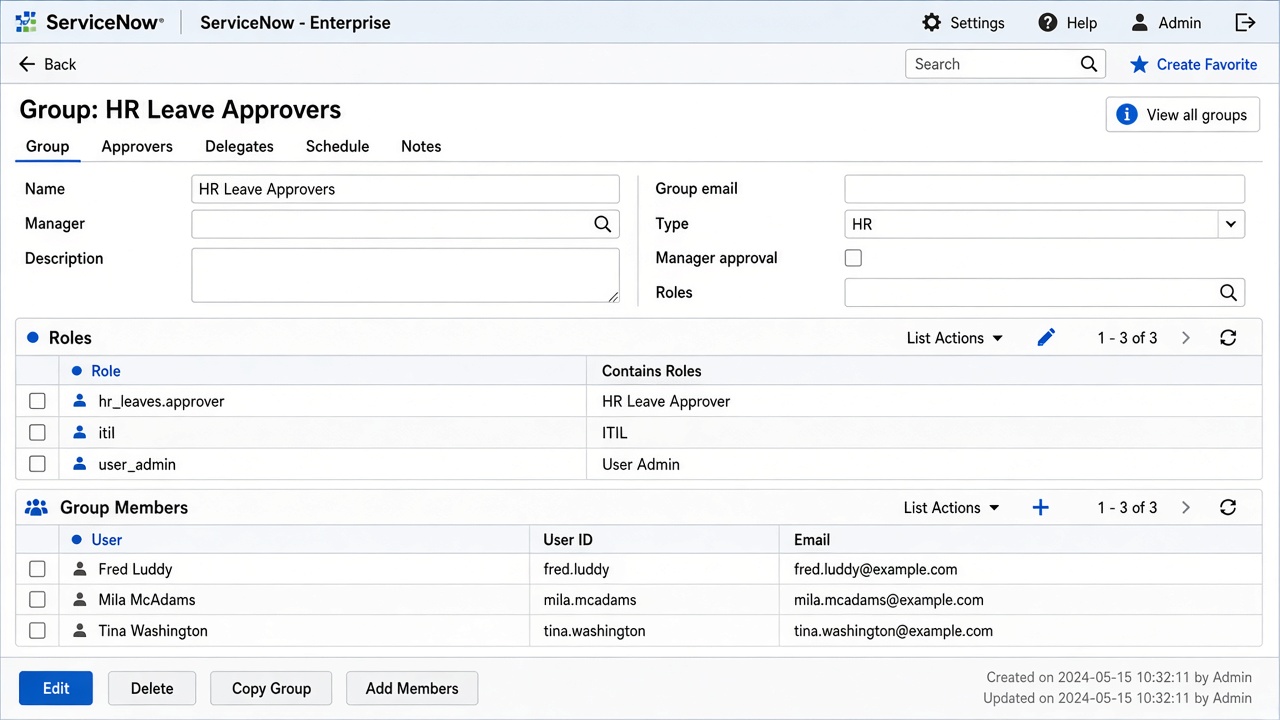
Group — New (+ Roles / Members)
WHEN DEVELOPING / OPENING: Groups → New → Roles related list → Members

Group — New (+ Roles / Members)

Groups → New → Roles related list → Members

Open / New on instance

Options & features on this screen

  • Name
  • Type
  • Manager
  • Email
  • Parent
  • Roles
  • Group Members
  • Exclude manager
New — Role — New / Contains Submit · Update RoleContains Rol Name x_786686_hr_leave.managerContains x_786686_hr_leave.employee
WHEN DEVELOPING / OPENING: Roles → New → Contains roles

Role — New / Contains

Roles → New → Contains roles

Open / New on instance
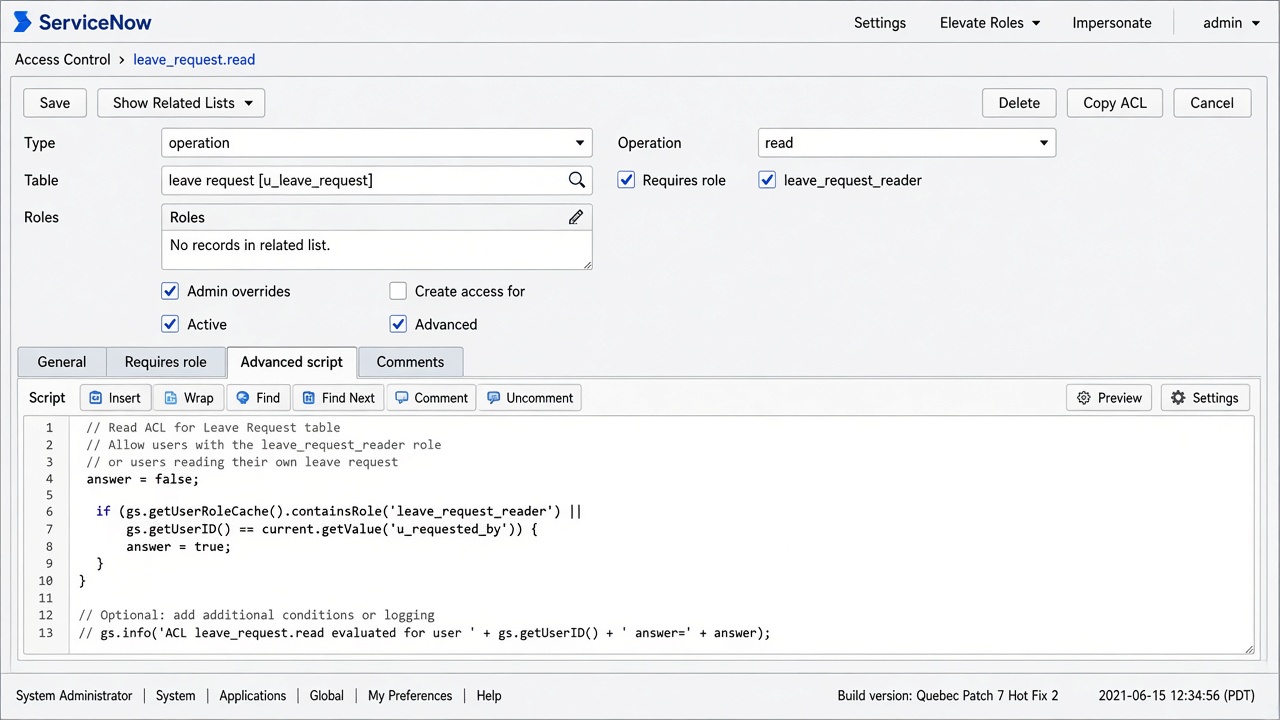
Options & features on this screen

  • Name
  • Suffix
  • Description
  • Assignable by
  • Contains roles
  • Elevated privilege
ACL — New
WHEN DEVELOPING / OPENING: Access Control → New (table/field security while administering)

ACL — New

Access Control → New (table/field security while administering)

Open / New on instance

Options & features on this screen

  • Type: record / ui_page / client_callable…
  • Operation: create read write delete execute
  • Name: table or table.field
  • Admin overrides
  • Requires role
  • Condition
  • Script (Advanced)
New — System Property — New Submit · Update Property Name x_786686_hr_leave.max_leave_daysType integerValue 30
WHEN DEVELOPING / OPENING: Properties → New

System Property — New

Properties → New

Open / New on instance

Options & features on this screen

  • Name
  • Type (string, integer, boolean, choicelist…)
  • Value
  • Choices
  • Description
  • Ignore cache
  • Private
New — Event Registry — New Submit · Update Event Event x_786686_hr_leave.request.submittedTable Leave Request
WHEN DEVELOPING / OPENING: Events Registry → New

Event Registry — New

Events Registry → New

Open / New on instance
Options & features on this screen

  • Event name
  • Table
  • Fired by
  • Description
  • Queue
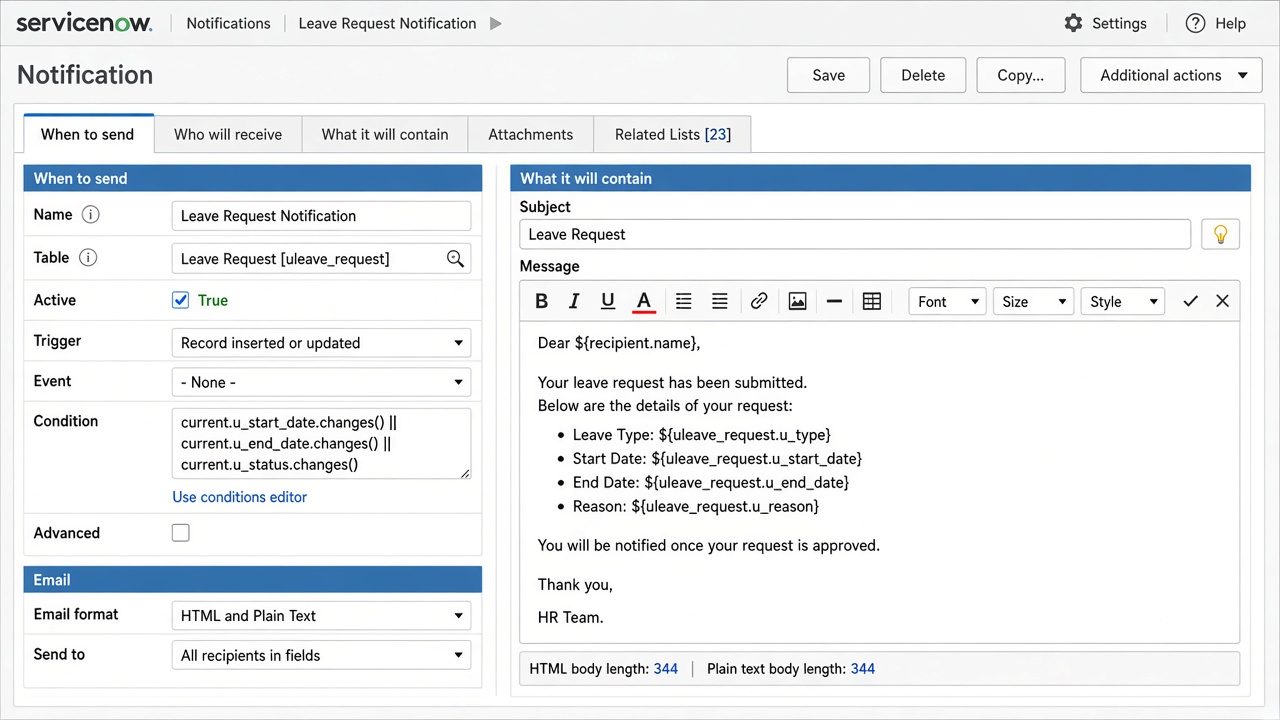
Notification — New
WHEN DEVELOPING / OPENING: Notifications → New (When / Who / What)

Notification — New

Notifications → New (When / Who / What)

Open / New on instance
Options & features on this screen

  • Table
  • Category
  • Active
  • When: inserted/updated/event is fired
  • Conditions
  • Who: Users/Groups in fields, Event parm, Recipients
  • What: Subject, Message HTML, Mail scripts, Attachments
  • Weight
  • Digest
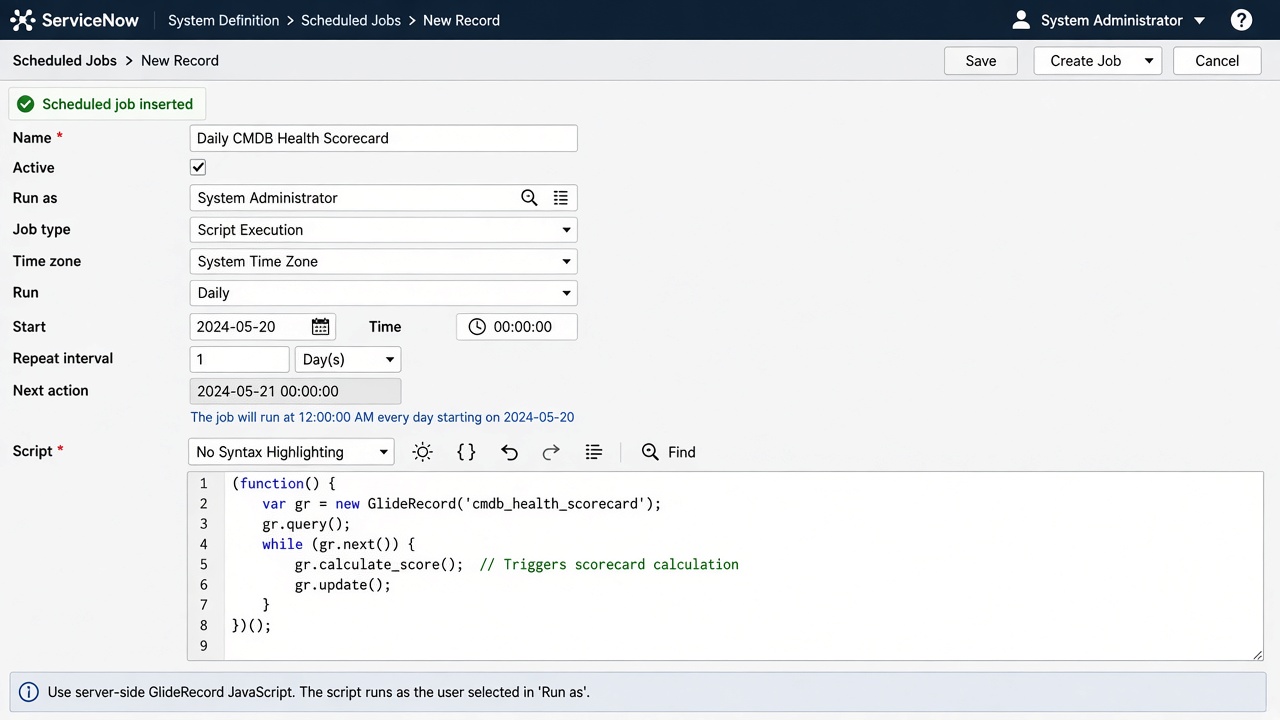
Scheduled Job — New
WHEN DEVELOPING / OPENING: Scheduled Jobs → New → Scheduled Script Execution

Scheduled Job — New

Scheduled Jobs → New → Scheduled Script Execution

Open / New on instance

Options & features on this screen

  • Name
  • Active
  • Run (Daily/Weekly/Periodically…)
  • Time
  • Run as
  • Conditional
  • Script
New — Import Set Table / Transform Map Submit · Update TransformField MapsScripts Source u_hr_leave_importTarget Leave RequestCoalesce employee_number
WHEN DEVELOPING / OPENING: Load Data → Create Transform Map → Map fields

Import Set Table / Transform Map

Load Data → Create Transform Map → Map fields

Open / New on instance

Options & features on this screen

  • Import set table
  • Transform Map
  • Field Maps
  • Coalesce
  • onBefore/onAfter scripts
  • Run Transform
New — ATF Test — New Submit · Update TestTest StepsResults Name HR Leave — Create RequestApplication HR Leave
WHEN DEVELOPING / OPENING: ATF Tests → New → Add Test Steps

ATF Test — New

ATF Tests → New → Add Test Steps

Open / New on instance
Options & features on this screen

  • Test steps (Open Form, Set Field, Click, Assert, Server script…)
  • Input variables
  • Timeout
  • Suites
  • Schedules
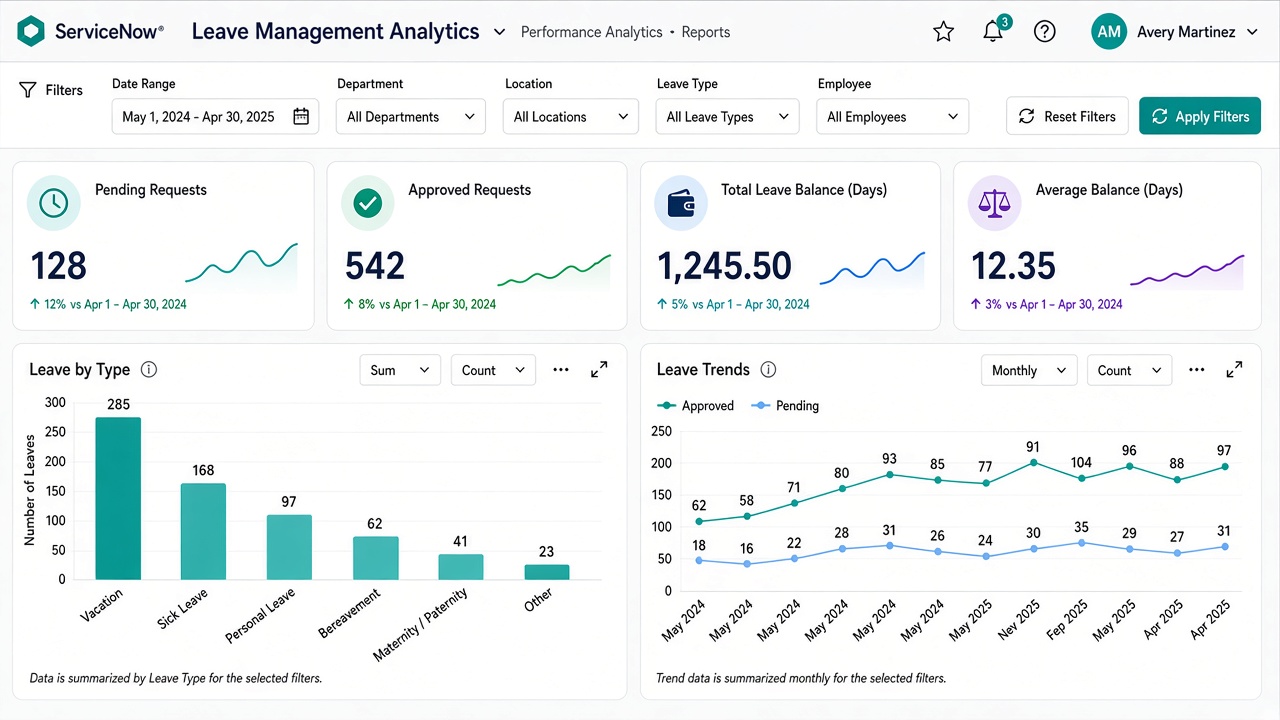
Report — Create New
WHEN DEVELOPING / OPENING: Reports → Create New (admin/analyst)

Report — Create New

Reports → Create New (admin/analyst)

Open / New on instance

Options & features on this screen

  • Data source
  • Type (List/Bar/Pie/Time series…)
  • Group by
  • Aggregation
  • Filter
  • Sharing
  • Schedule

C. Modules — شاشات New لكل موديول

Incident, Problem, Change, CMDB CI, HR Case, CSM Case, FSM Work Order, SPM Demand, GRC Risk, SLA Definition
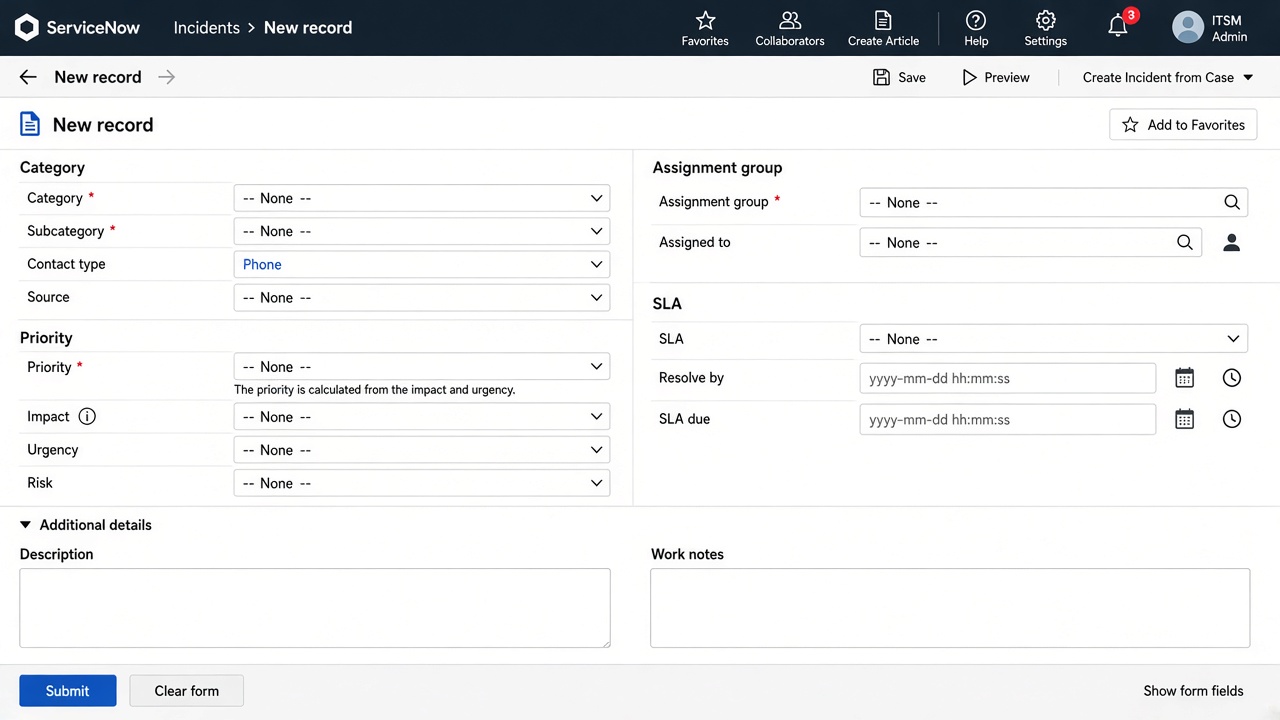
Incident — New
WHEN DEVELOPING / OPENING: Incident → Create New (ITSM developing/using)

Incident — New

Incident → Create New (ITSM developing/using)

Open / New on instance

Options & features on this screen

  • Caller
  • Category/Subcategory
  • Impact/Urgency → Priority
  • Assignment group
  • Configuration item
  • Short description
  • Work notes
  • SLA
  • Related: Problems, Changes, KB
New — Problem — New Submit · Update ProblemAnalysisResolution Short description Recurring login failureState New
WHEN DEVELOPING / OPENING: Problem → Create New

Problem — New

Problem → Create New

Open / New on instance
Options & features on this screen

  • First reported by
  • Category
  • Priority
  • Assignment
  • Workaround
  • Root cause
  • Known Error
  • Fix
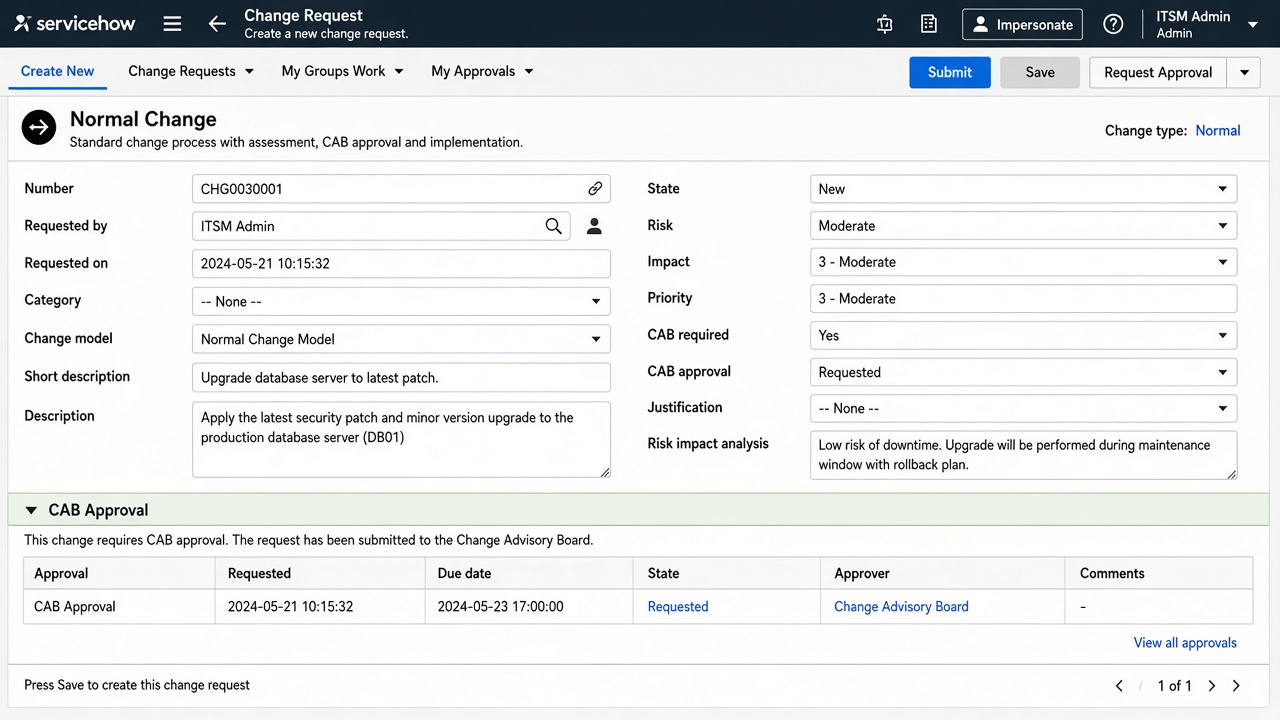
Change Request — New
WHEN DEVELOPING / OPENING: Change → Create New (Normal/Standard/Emergency)

Change Request — New

Change → Create New (Normal/Standard/Emergency)

Open / New on instance

Options & features on this screen

  • Type
  • Risk
  • Impact
  • Conflict detection
  • CAB
  • Implementation plan
  • Backout plan
  • Schedule
  • Approvals
New — CMDB CI — New Submit · Update CIRelated ItemRelationship Class ServerName app-prod-01Install status Installed
WHEN DEVELOPING / OPENING: Configuration → create CI class record

CMDB CI — New

Configuration → create CI class record

Open / New on instance
Options & features on this screen

  • Class
  • Name
  • Asset tag
  • Owned by
  • Managed by
  • Relationships
  • Discovery source
  • Install status
HR Case — New
WHEN DEVELOPING / OPENING: HR Case Management → New / Employee Center request

HR Case — New

HR Case Management → New / Employee Center request

Open / New on instance

Options & features on this screen

  • HR service
  • Opened for
  • Subject person
  • COE
  • Skills
  • SLA
  • Templates
  • Checklist
New — CSM Case — New Submit · Update CaseRelatedInteraction Account AcmeShort description Billing question
WHEN DEVELOPING / OPENING: Customer Service → Cases → New / CSM Workspace

CSM Case — New

Customer Service → Cases → New / CSM Workspace

Open / New on instance

Options & features on this screen

  • Account
  • Contact
  • Product
  • Priority
  • Assignment
  • Entitlement/SLA
  • Channel
  • Agent Assist
New — FSM Work Order — New Submit · Update Work OrderTasksParts Short description Onsite printer repairLocation Building A
WHEN DEVELOPING / OPENING: Field Service → Work Orders → New

FSM Work Order — New

Field Service → Work Orders → New

Open / New on instance

Options & features on this screen

  • Location
  • Skills
  • Parts
  • Tasks
  • Schedule
  • Dispatch
  • Mobile complete
New — SPM Demand / Project — New Submit · Update DemandAssessmentResource Short description HR Leave Phase 2State Draft
WHEN DEVELOPING / OPENING: Demand → New / Project → New

SPM Demand / Project — New

Demand → New / Project → New

Open / New on instance

Options & features on this screen

  • Score
  • Strategy
  • Resource plan
  • Cost plan
  • Approve → Project
  • Portfolio
New — GRC Risk / Policy / Control — New Submit · Update RiskAssessmentControls Name Leave data privacy riskOwner Compliance
WHEN DEVELOPING / OPENING: Risk → New / Policy → New / Control → New

GRC Risk / Policy / Control — New

Risk → New / Policy → New / Control → New

Open / New on instance

Options & features on this screen

  • Entity
  • Owner
  • Inherent/residual
  • Assessment
  • Control test
  • Evidence
  • Issue
New — SLA Definition — New Submit · Update DefinitionConditionSchedule Name Leave Approval 2BDDuration 2 daysTable Leave Request
WHEN DEVELOPING / OPENING: Service Level Management → SLA Definitions → New

SLA Definition — New

Service Level Management → SLA Definitions → New

Open / New on instance

Options & features on this screen

  • Type
  • Duration
  • Schedule
  • Start/Pause/Stop conditions
  • Workflow/Flow
  • Retroactive